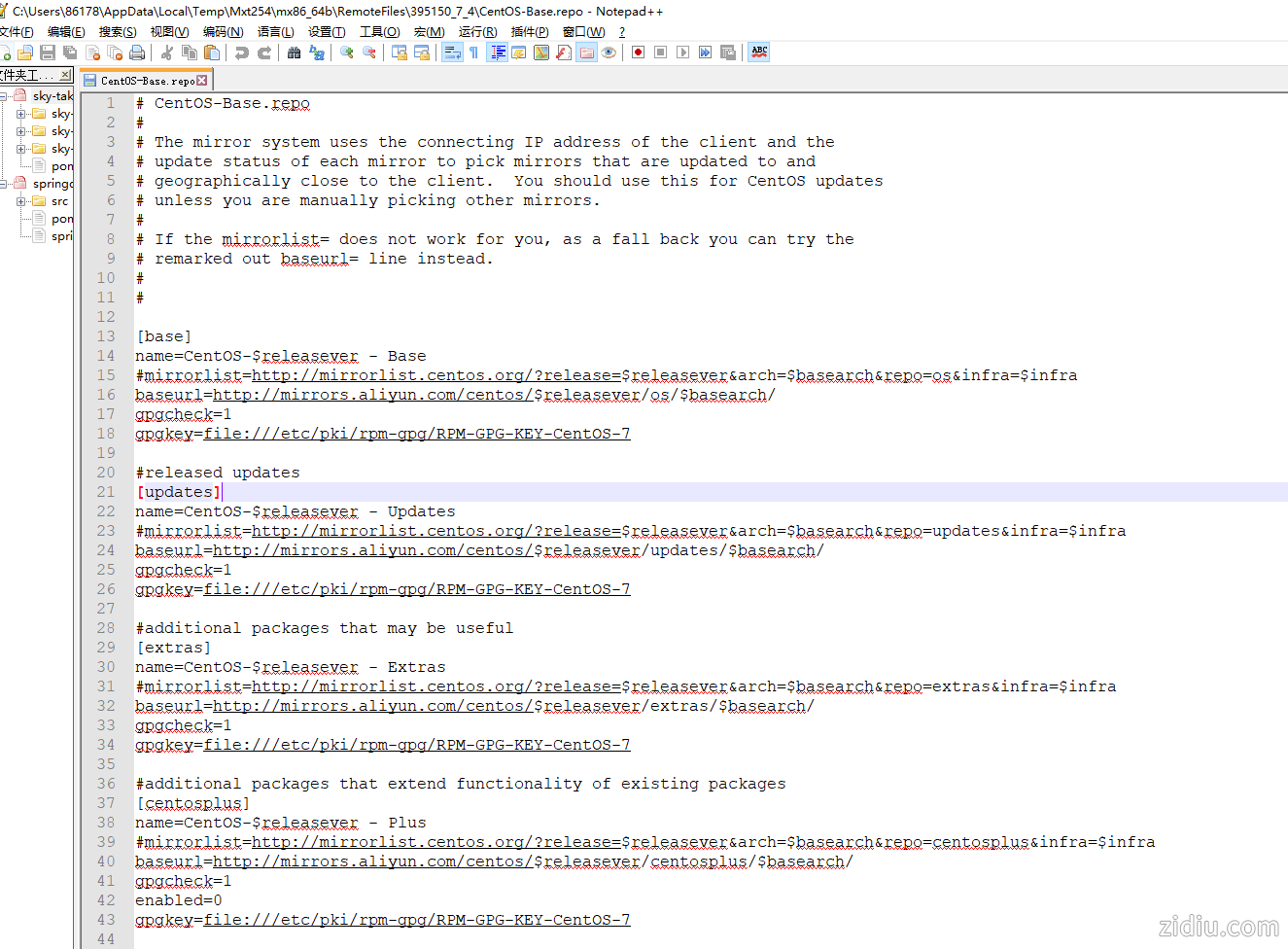
- # CentOS-Base.repo
- #
- # The mirror system uses the connecting IP address of the client and the
- # update status of each mirror to pick mirrors that are updated to and
- # geographically close to the client. You should use this for CentOS updates
- # unless you are manually picking other mirrors.
- #
- # If the mirrorlist= does not work for you, as a fall back you can try the
- # remarked out baseurl= line instead.
- #
- #
-
- [base]
- name=CentOS-$releasever - Base
- #mirrorlist=http://mirrorlist.centos.org/?release=$releasever&arch=$basearch&repo=os&infra=$infra
- baseurl=http://mirrors.aliyun.com/centos/$releasever/os/$basearch/
- gpgcheck=1
- gpgkey=file:///etc/pki/rpm-gpg/RPM-GPG-KEY-CentOS-7
-
- #released updates
- [updates]
- name=CentOS-$releasever - Updates
- #mirrorlist=http://mirrorlist.centos.org/?release=$releasever&arch=$basearch&repo=updates&infra=$infra
- baseurl=http://mirrors.aliyun.com/centos/$releasever/updates/$basearch/
- gpgcheck=1
- gpgkey=file:///etc/pki/rpm-gpg/RPM-GPG-KEY-CentOS-7
-
- #additional packages that may be useful
- [extras]
- name=CentOS-$releasever - Extras
- #mirrorlist=http://mirrorlist.centos.org/?release=$releasever&arch=$basearch&repo=extras&infra=$infra
- baseurl=http://mirrors.aliyun.com/centos/$releasever/extras/$basearch/
- gpgcheck=1
- gpgkey=file:///etc/pki/rpm-gpg/RPM-GPG-KEY-CentOS-7
-
- #additional packages that extend functionality of existing packages
- [centosplus]
- name=CentOS-$releasever - Plus
- #mirrorlist=http://mirrorlist.centos.org/?release=$releasever&arch=$basearch&repo=centosplus&infra=$infra
- baseurl=http://mirrors.aliyun.com/centos/$releasever/centosplus/$basearch/
- gpgcheck=1
- enabled=0
- gpgkey=file:///etc/pki/rpm-gpg/RPM-GPG-KEY-CentOS-7
-
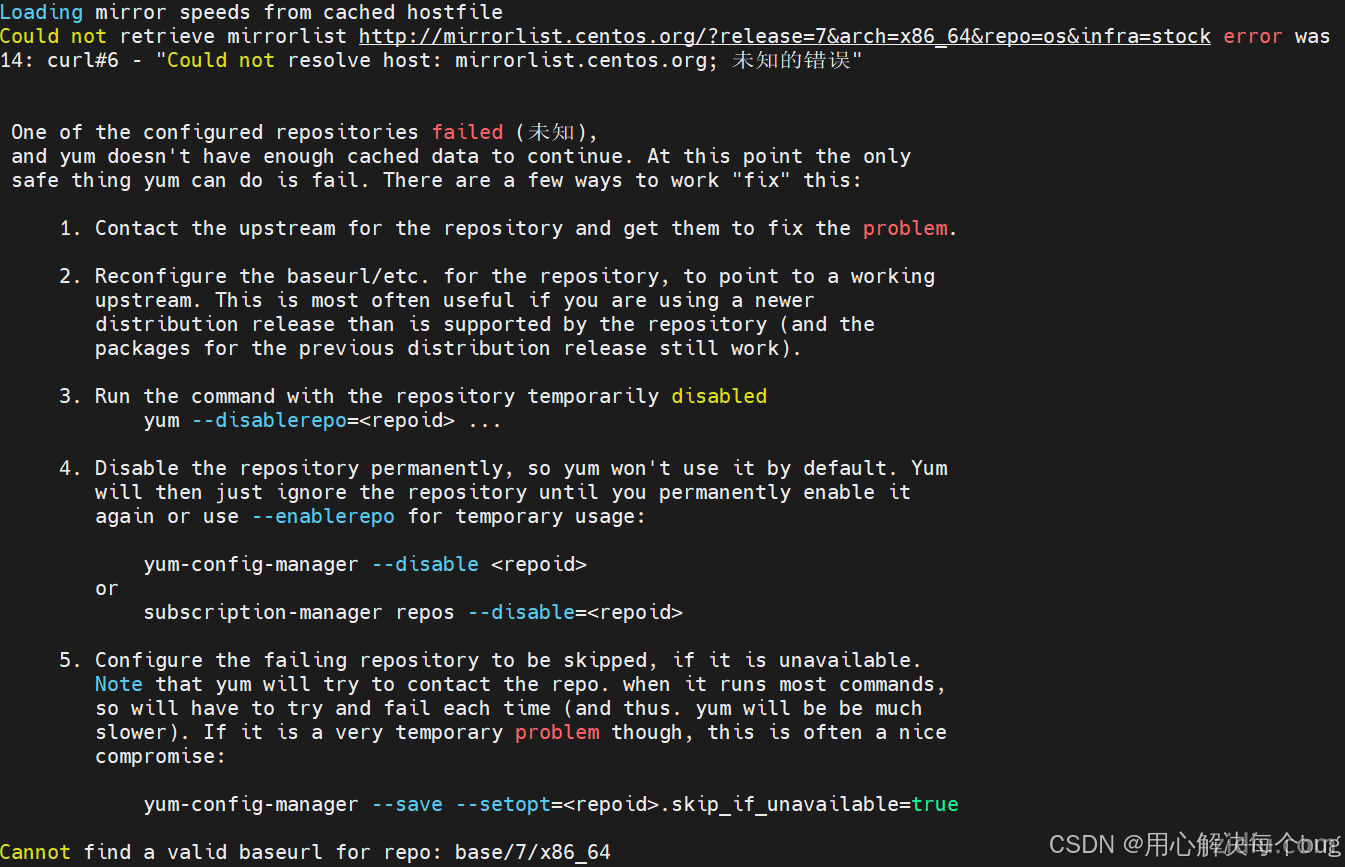
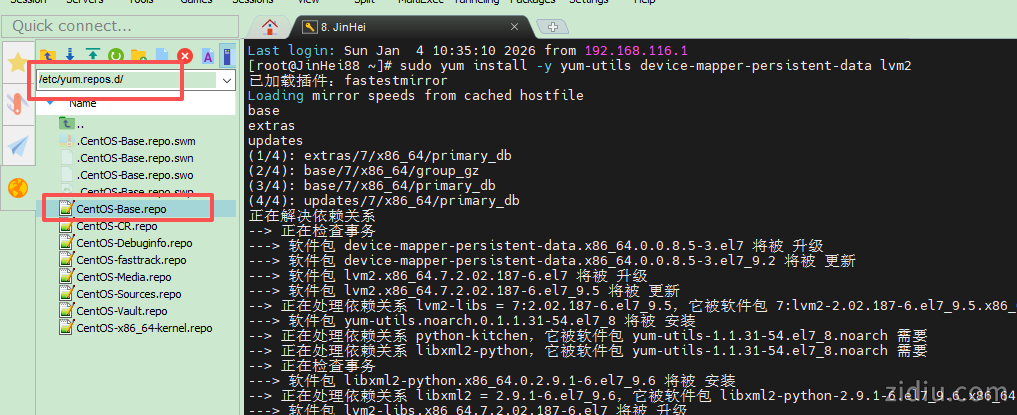
再执行就可以了。
- # 启动Docker
- systemctl start docker
-
- # 停止Docker
- systemctl stop docker
-
- # 重启
- systemctl restart docker
-
- # 设置开机自启
- systemctl enable docker
-
- # 执行docker ps命令,如果不报错,说明安装启动成功
- docker ps

配置镜像加速
https://cr.console.aliyun.com/cn-shenzhen/instances/mirrors
| 
 |Archiver|自丢网
( 粤ICP备2024252464号-1 )
|Archiver|自丢网
( 粤ICP备2024252464号-1 )



 发表于 2026-1-5 09:50:48