注解 | 说明 | 位置 | @Component | 声明bean的基础注解 | 不属于以下三类时,用此注解 | @Controller | @Component的衍生注解 | 标注在控制器类上 | @Service | @Component的衍生注解 | 标注在业务类上 | @Repository | @Component的衍生注解 | 标注在数据访问类上(由于与mybatis整合,用的少) |
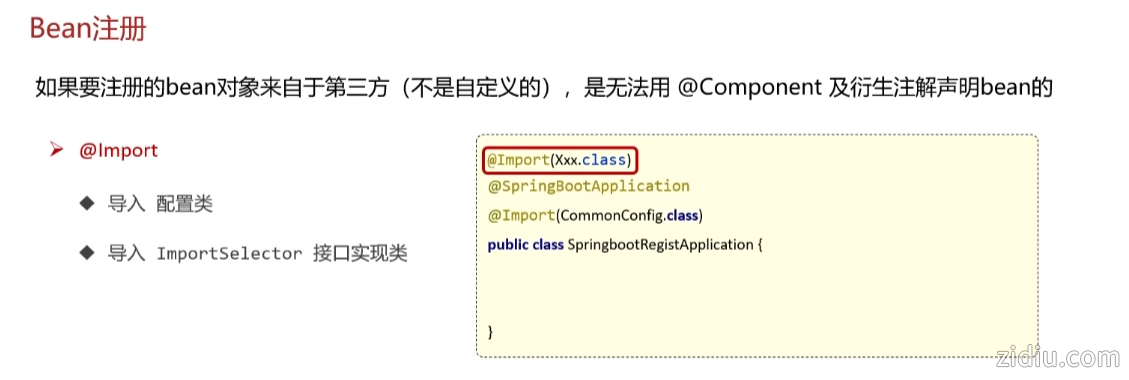
如果要注册的bean对象来自于第三方(不是自定义的),是无法用 @Component 及衍生注解声明bean的
@Bean
@Import
测试案例:
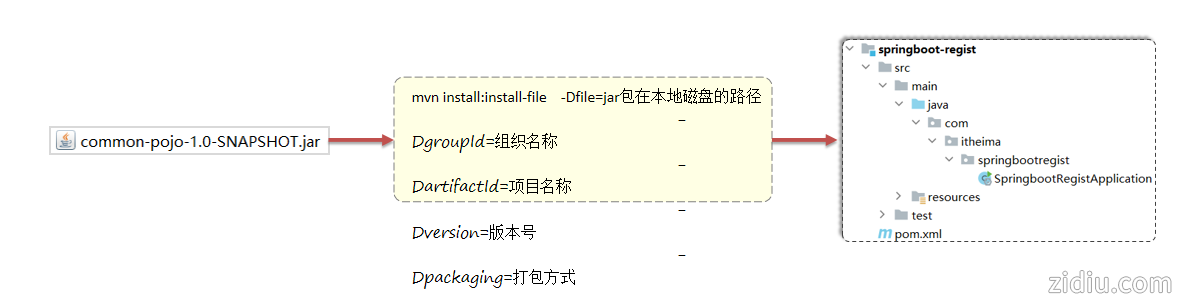
1,安装jar包到maven本地仓库脚本
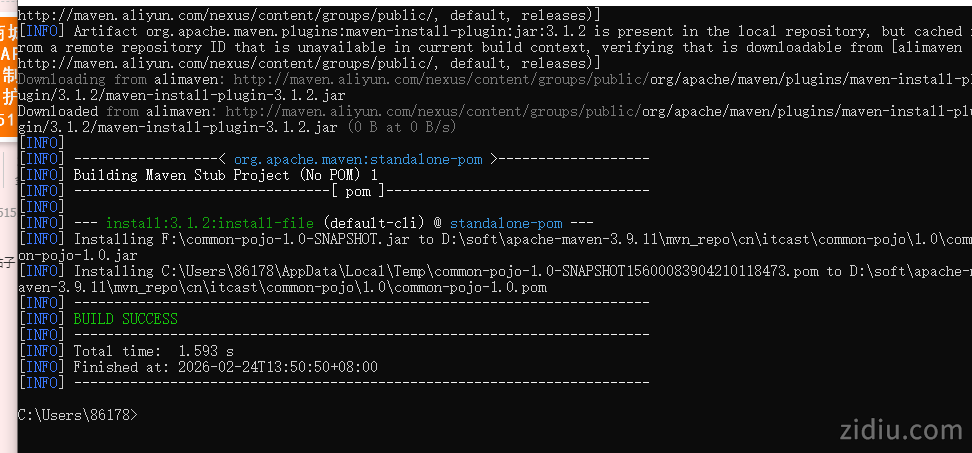
- mvn install:install-file -Dfile=F:\common-pojo-1.0-SNAPSHOT.jar -DgroupId=cn.itcast -DartifactId=common-pojo -Dversion=1.0 -Dpackaging=jar
如图所示:

2,导入jar包
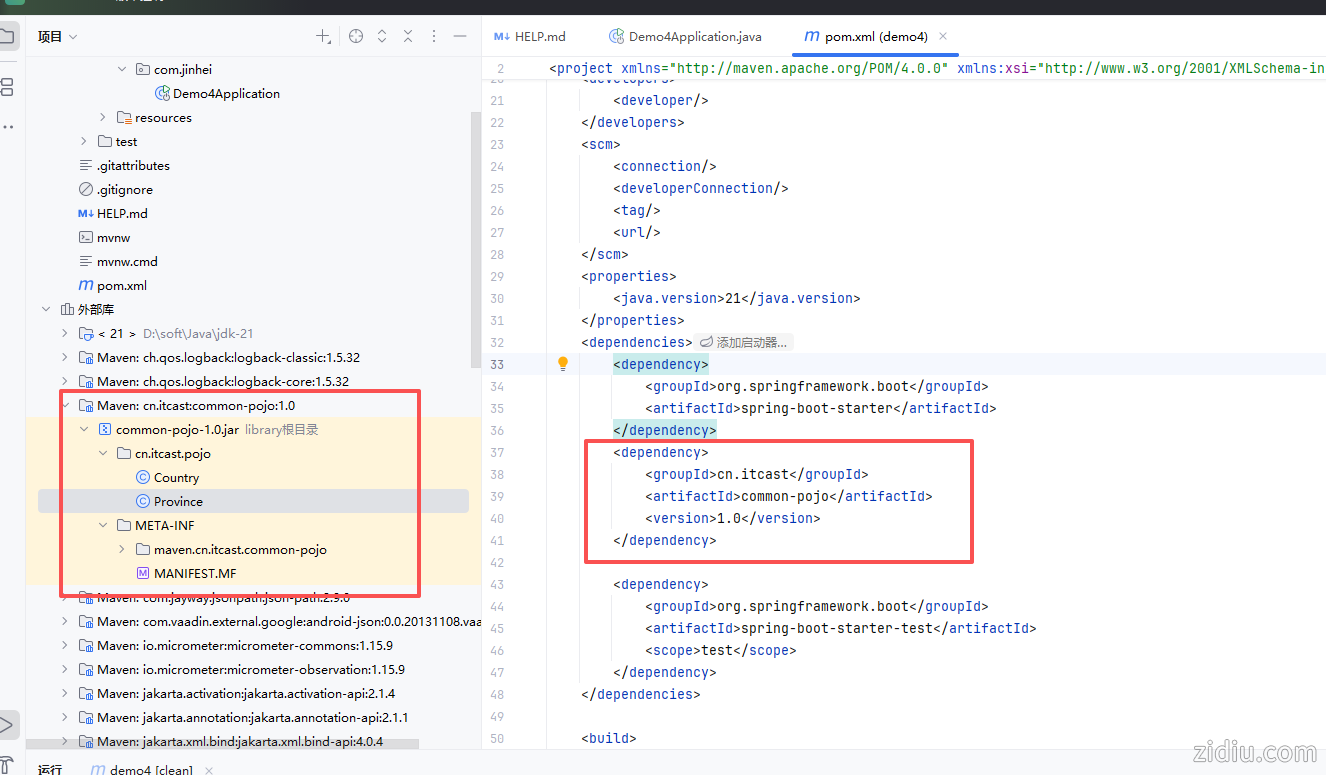
以上准备工作就绪,下面我们使用@Bean 注册演示
1,启动类上添加
- package com.jinhei;
-
- import cn.itcast.pojo.Country;
- import org.springframework.boot.SpringApplication;
- import org.springframework.boot.autoconfigure.SpringBootApplication;
- import org.springframework.context.ApplicationContext;
- import org.springframework.context.annotation.Bean;
-
- @SpringBootApplication
- public class Demo4Application {
-
- public static void main(String[] args) {
- // run()方法会把初始化好的容器返回给用户,用户拿到容器后,就可以从容器中获取组件了
- ApplicationContext context = SpringApplication.run(Demo4Application.class, args);
- // 获取bean对象
- Country country = context.getBean(Country.class);
- System.out.println(country);
- System.out.println("启动成功");
- }
- // 注入Country对象
- @Bean //将方法返回值交给Ioc容器管理,成为Ioc容器的bean对象
- public Country country(){
- return new Country("中国", "中国");
- }
- }
演示效果如图所示:
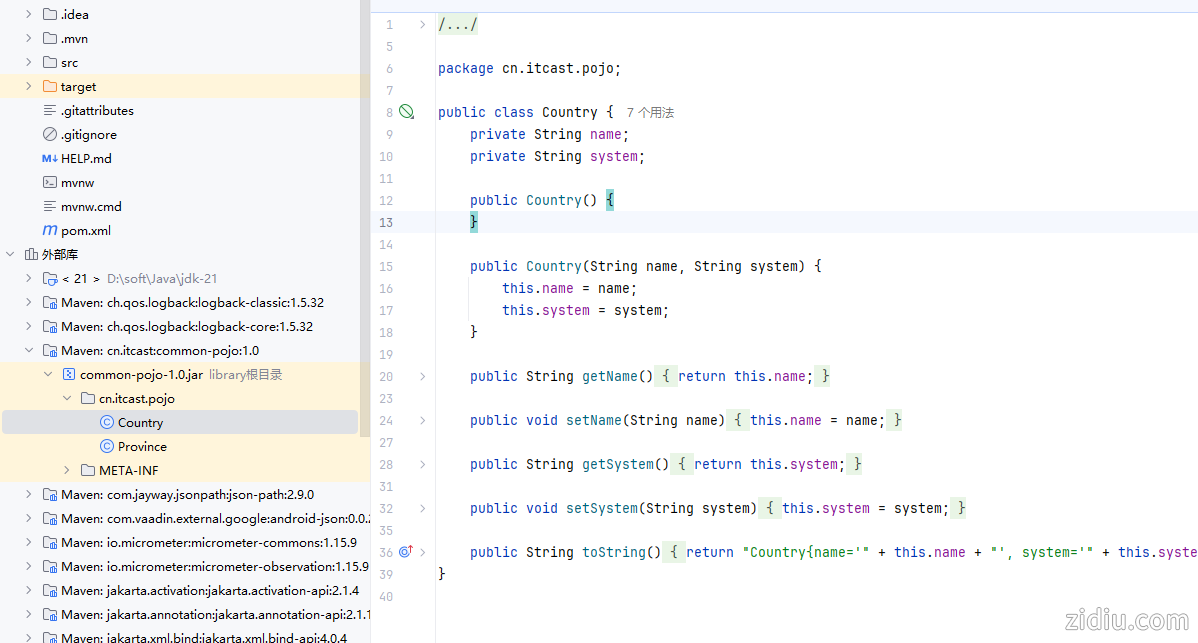
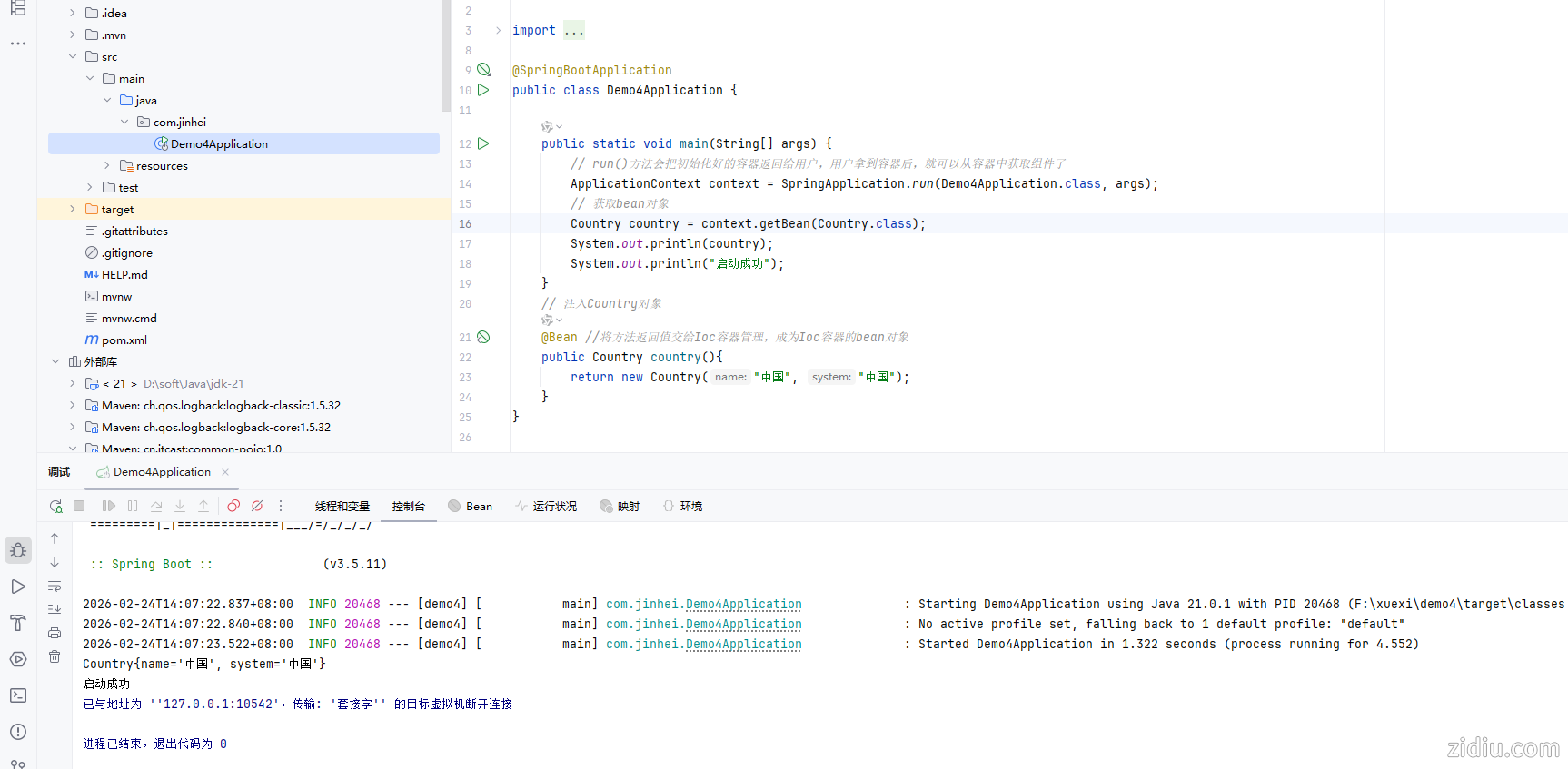
启动类里面添加,不建议
2,在配置类里面注册
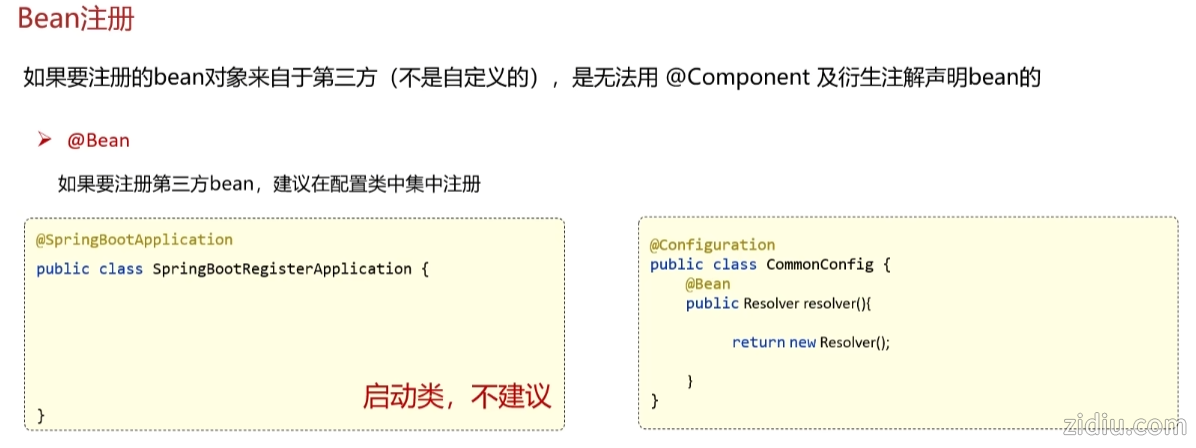
代码如下:
- package com.jinhei.config;
-
- import cn.itcast.pojo.Country;
- import org.springframework.context.annotation.Bean;
- import org.springframework.context.annotation.Configuration;
-
- @Configuration
- public class CommonConfig {
- @Bean //将方法返回值交给Ioc容器管理,成为Ioc容器的bean对象
- public Country country(){
- return new Country("中国", "金黑");
- }
- }
运行结果如图:
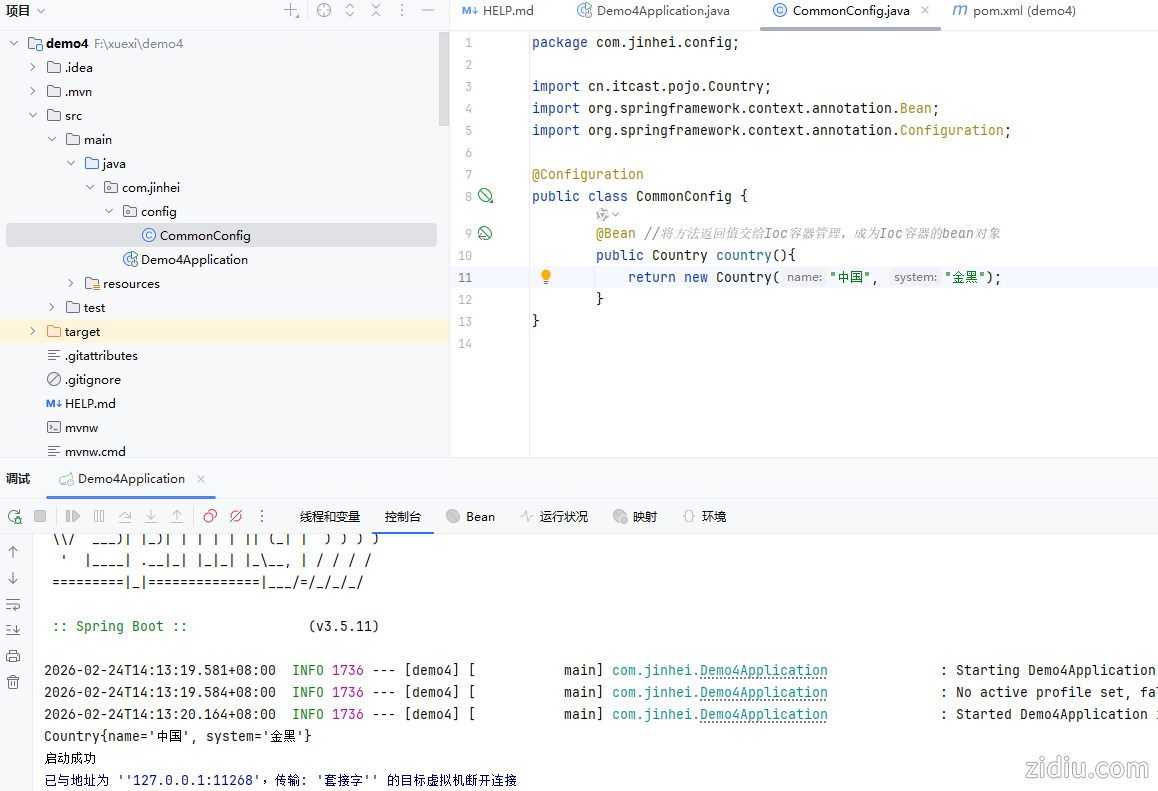
细节:
对象默认名字为方法名,根据名字获取bean对象- package com.jinhei;
-
- import cn.itcast.pojo.Country;
- import org.springframework.boot.SpringApplication;
- import org.springframework.boot.autoconfigure.SpringBootApplication;
- import org.springframework.context.ApplicationContext;
- import org.springframework.context.annotation.Bean;
-
- @SpringBootApplication
- public class Demo4Application {
-
- public static void main(String[] args) {
- // run()方法会把初始化好的容器返回给用户,用户拿到容器后,就可以从容器中获取组件了
- ApplicationContext context = SpringApplication.run(Demo4Application.class, args);
- // 获取bean对象
- Country country = context.getBean(Country.class);
- System.out.println(country);
- // 根据名字获取bean对象
- System.out.println(context.getBean("province"));
- System.out.println("启动成功");
- }
- // 第一种,启动类里面注册,注入Country对象
- /* @Bean //将方法返回值交给Ioc容器管理,成为Ioc容器的bean对象
- public Country country(){
- return new Country("中国", "中国");
- }*/
- }
- package com.jinhei.config;
-
- import cn.itcast.pojo.Country;
- import cn.itcast.pojo.Province;
- import org.springframework.context.annotation.Bean;
- import org.springframework.context.annotation.Configuration;
-
- @Configuration
- public class CommonConfig {
- @Bean //将方法返回值交给Ioc容器管理,成为Ioc容器的bean对象
- public Country country(){
- return new Country("中国", "金黑");
- }
- @Bean // 对象默认名字为方法名
- public Province province(){
- return new Province("上海", "东");
- }
- }
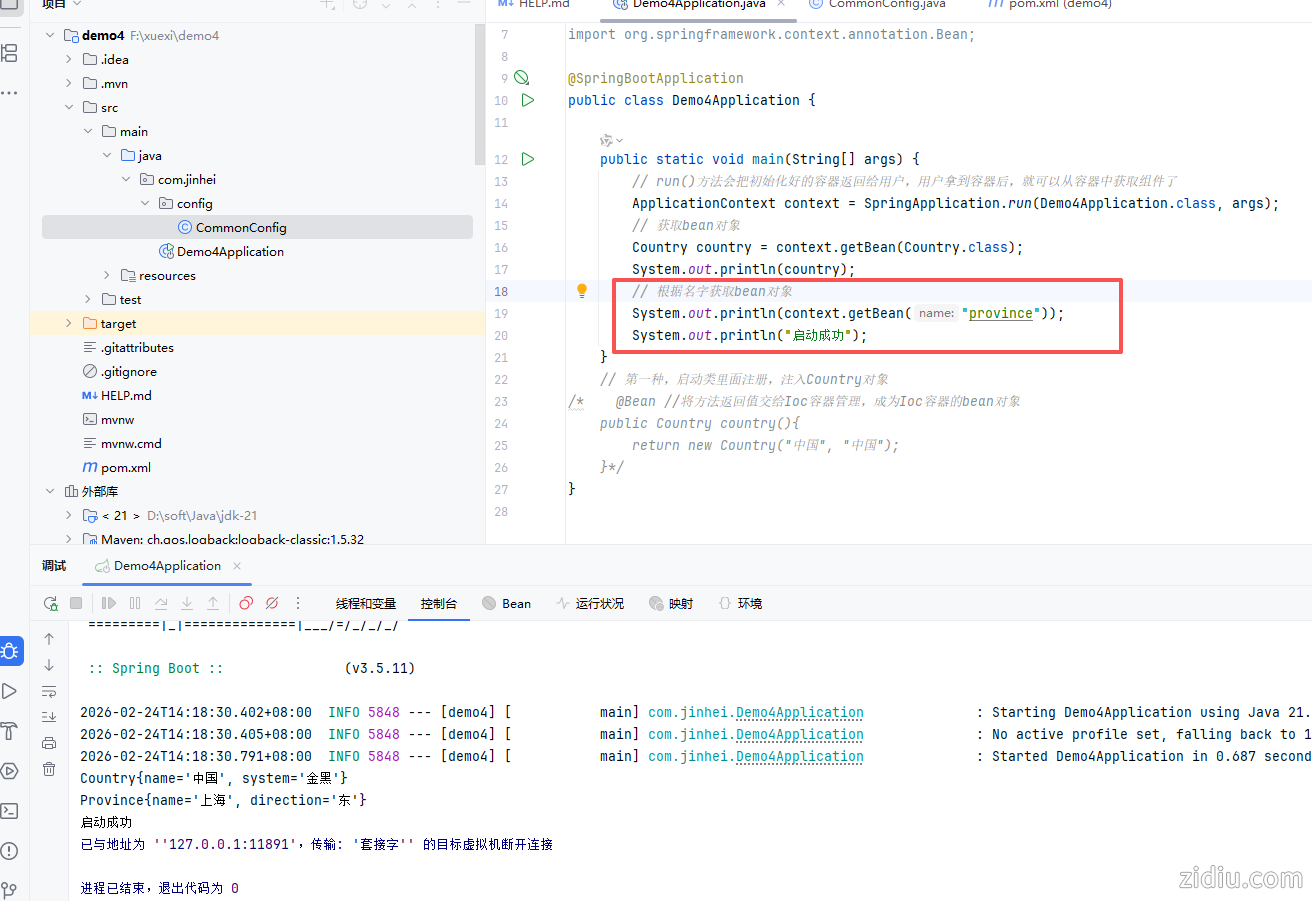
【细节】给Bean取个名字:@Bean("jinhei")
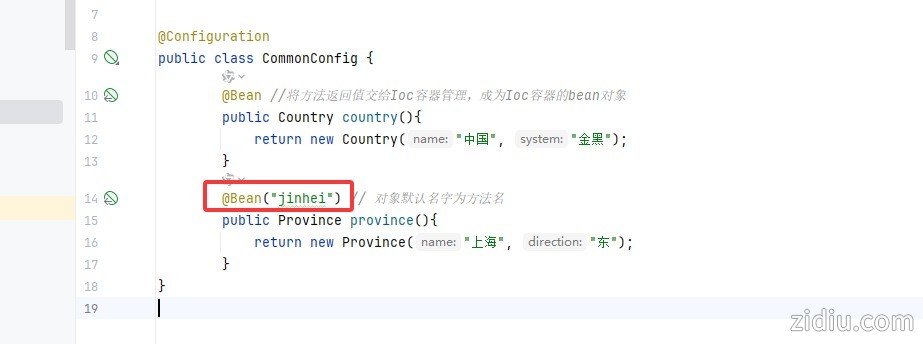
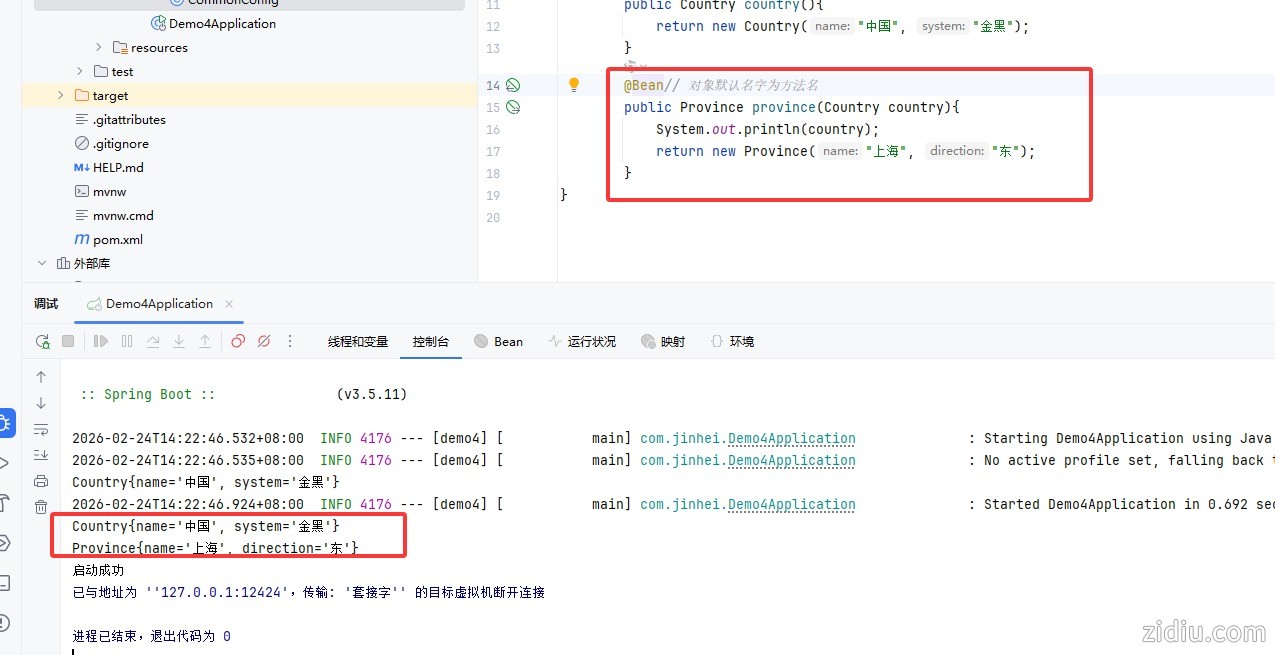
【细节】如果方法的内部需要使用到IOC容器中已经存在的Bean对象,那么只需要在方法上声明即可,spring会自动的注入
- package com.jinhei.config;
-
- import cn.itcast.pojo.Country;
- import cn.itcast.pojo.Province;
- import org.springframework.context.annotation.Bean;
- import org.springframework.context.annotation.Configuration;
-
- @Configuration
- public class CommonConfig {
- @Bean //将方法返回值交给Ioc容器管理,成为Ioc容器的bean对象
- public Country country(){
- return new Country("中国", "金黑");
- }
- @Bean// 对象默认名字为方法名
- //如果方法的内部需要使用到IOC容器中已经存在的Bean对象,那么只需要在方法上声明即可,spring会自动的注入
- public Province province(Country country){
- System.out.println(country);
- return new Province("上海", "东");
- }
- }
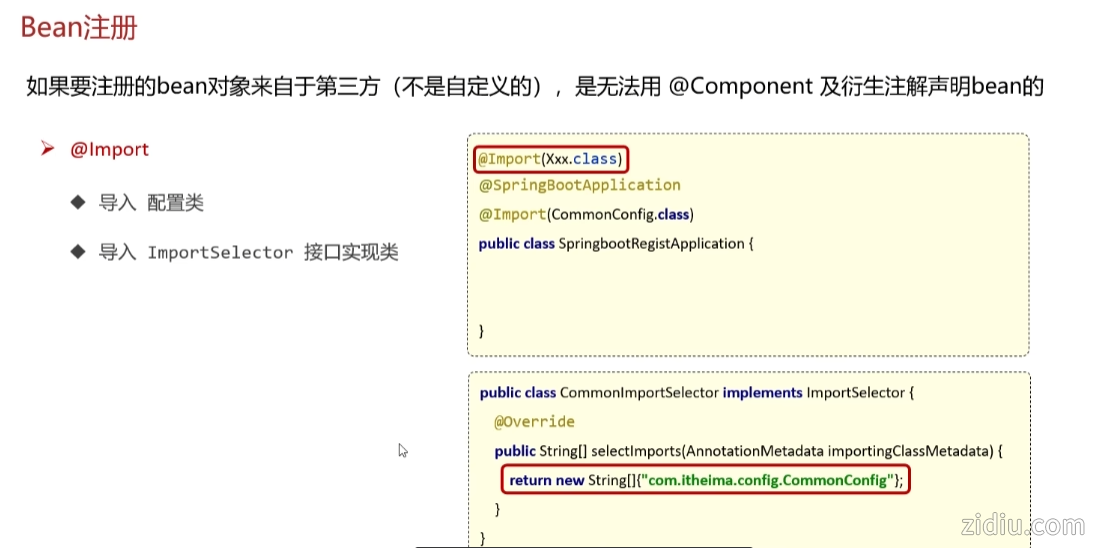
另一种方法:@Import
导入 配置类
导入 ImportSelector 接口实现类
@EnableXxxx注解,封装@Import注解
【重要】不在启动类所在包或子包下,导入类,同时会自动执行Bean注册,相当于手动扫描
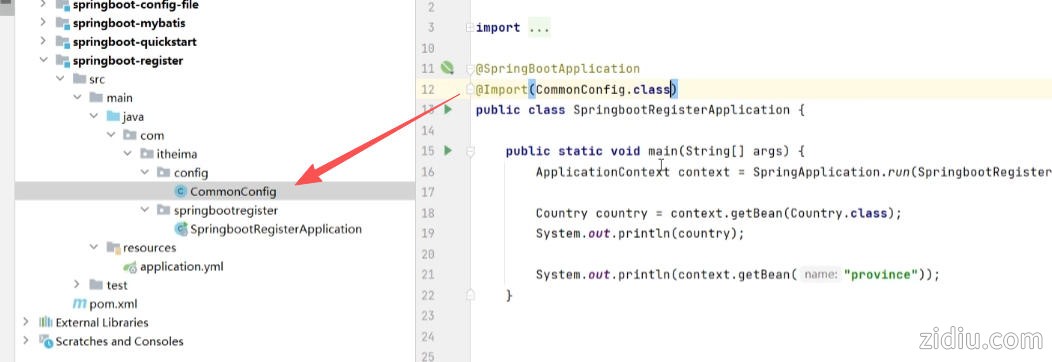
- @Import(CommonConfig.class)
如果注入多个类,写法:
- @Import({CommonConfig.class,CommonConfig.class,CommonConfig.class})
还有一种方法:导入 ImportSelector 接口实现类
1,创建类
- package com.jinhei.config;
-
- import org.springframework.context.annotation.ImportSelector;
- import org.springframework.core.type.AnnotationMetadata;
-
- public class CommonImportSelector implements ImportSelector {
- @Override
- public String[] selectImports(AnnotationMetadata importingClassMetadata) {
- return new String[]{"com.jinhei.config.CommonConfig"};
- }
- }
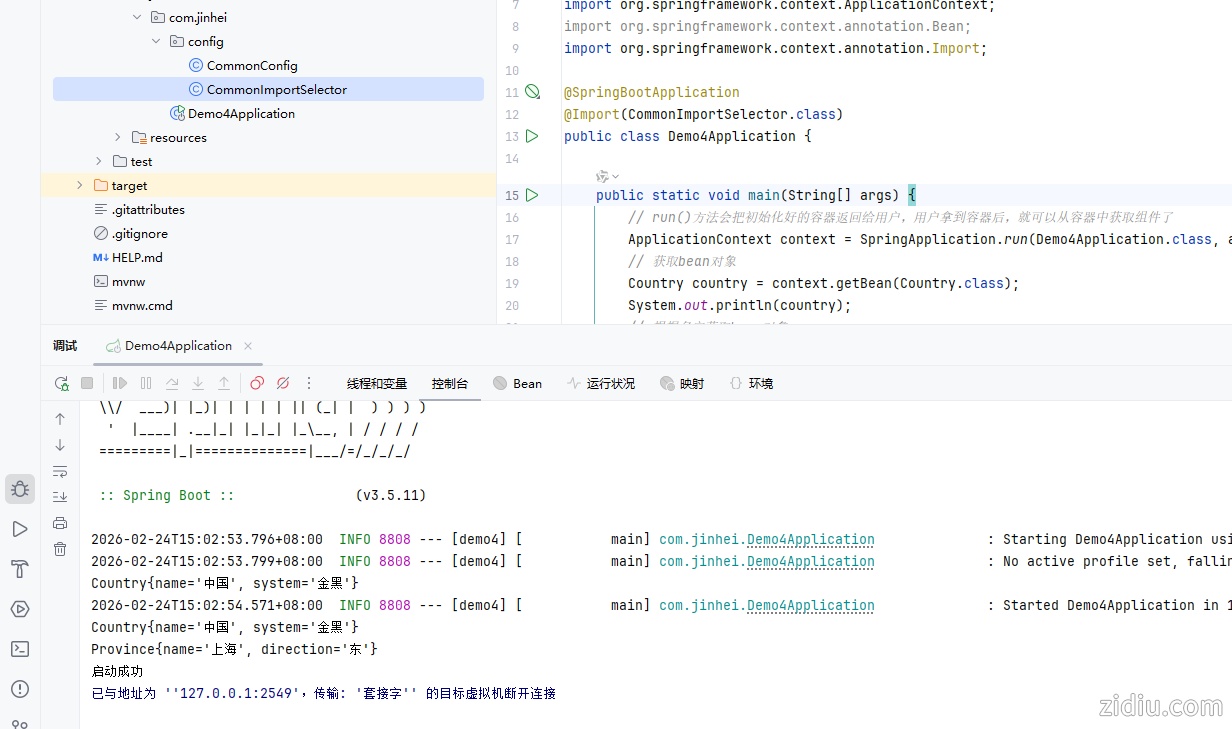
2,启动类添加@Import(CommonImportSelector.class)
- package com.jinhei;
-
- import cn.itcast.pojo.Country;
- import com.jinhei.config.CommonImportSelector;
- import org.springframework.boot.SpringApplication;
- import org.springframework.boot.autoconfigure.SpringBootApplication;
- import org.springframework.context.ApplicationContext;
- import org.springframework.context.annotation.Bean;
- import org.springframework.context.annotation.Import;
-
- @SpringBootApplication
- @Import(CommonImportSelector.class)
- public class Demo4Application {
-
- public static void main(String[] args) {
- // run()方法会把初始化好的容器返回给用户,用户拿到容器后,就可以从容器中获取组件了
- ApplicationContext context = SpringApplication.run(Demo4Application.class, args);
- // 获取bean对象
- Country country = context.getBean(Country.class);
- System.out.println(country);
- // 根据名字获取bean对象
- System.out.println(context.getBean("province"));
- System.out.println("启动成功");
- }
- // 第一种,启动类里面注册,注入Country对象
- /* @Bean //将方法返回值交给Ioc容器管理,成为Ioc容器的bean对象
- public Country country(){
- return new Country("中国", "中国");
- }*/
- }
运行结果:
优化代码,让程序更灵活,类放到配置里面:
- package com.jinhei.config;
-
- import org.springframework.context.annotation.ImportSelector;
- import org.springframework.core.type.AnnotationMetadata;
-
- import java.io.BufferedReader;
- import java.io.InputStream;
- import java.io.InputStreamReader;
- import java.util.ArrayList;
- import java.util.List;
-
- public class CommonImportSelector implements ImportSelector {
- @Override
- public String[] selectImports(AnnotationMetadata importingClassMetadata) {
- // 读取配置文件的内容,根据配置内容,返回需要导入的组件
- List<String> imports = new ArrayList<>();
- /* 这段代码的功能是通过类加载器获取名为 "common.imports" 的资源文件的输入流。具体来说:
- 1,CommonImportSelector.class.getClassLoader() 获取当前类的类加载器。
- 2,getResourceAsStream("common.imports") 通过类加载器查找并返回名为 "common.imports" 的资源文件的 InputStream,用于后续读取文件内容。
- 该方法常用于从 classpath 中加载配置文件或资源文件。*/
- InputStream is = CommonImportSelector.class.getClassLoader().getResourceAsStream("common.imports");
- /*这段代码的功能是将输入流 is 包装成一个带缓冲的字符读取器 BufferedReader,以便高效地逐行读取文件内容。具体步骤如下:
- 1,使用 InputStreamReader 将字节流 is 转换为字符流。
- 2,用 BufferedReader 包装字符流,提供缓冲功能,提升读取效率。
- 3,后续可通过 br.readLine() 逐行读取文件内容。*/
- BufferedReader br = new BufferedReader(new InputStreamReader(is));
- String line = null;
- try {
- while ((line = br.readLine()) != null) {
- imports.add(line);
- }
- } catch (Exception e) {
- e.printStackTrace();
- }finally {
- if (br != null) {
- try {
- br.close();
- } catch (Exception e) {
- e.printStackTrace();
- }
- }
- }
- // 这段代码的功能是将 List<String> 类型的 imports 集合转换为字符串数组并返回。
- // 返回需要导入的组件,字符串数组
- /*具体说明:
- 1,imports.toArray(new String[0]):调用 List 的 toArray 方法,将集合中的元素转为 String 类型的数组。
- 2,new String[0]:提供一个空数组作为参数,确保返回的数组类型为 String[]。
- 3,返回结果:供 Spring 容器识别并导入指定的组件类。*/
- return imports.toArray(new String[0]);
- }
- }
Ctrl+Alt+T,快捷键
try {
while ((line = br.readLine()) != null) {
imports.add(line);
}
} catch (Exception e) {
e.printStackTrace();
}
再优化注解
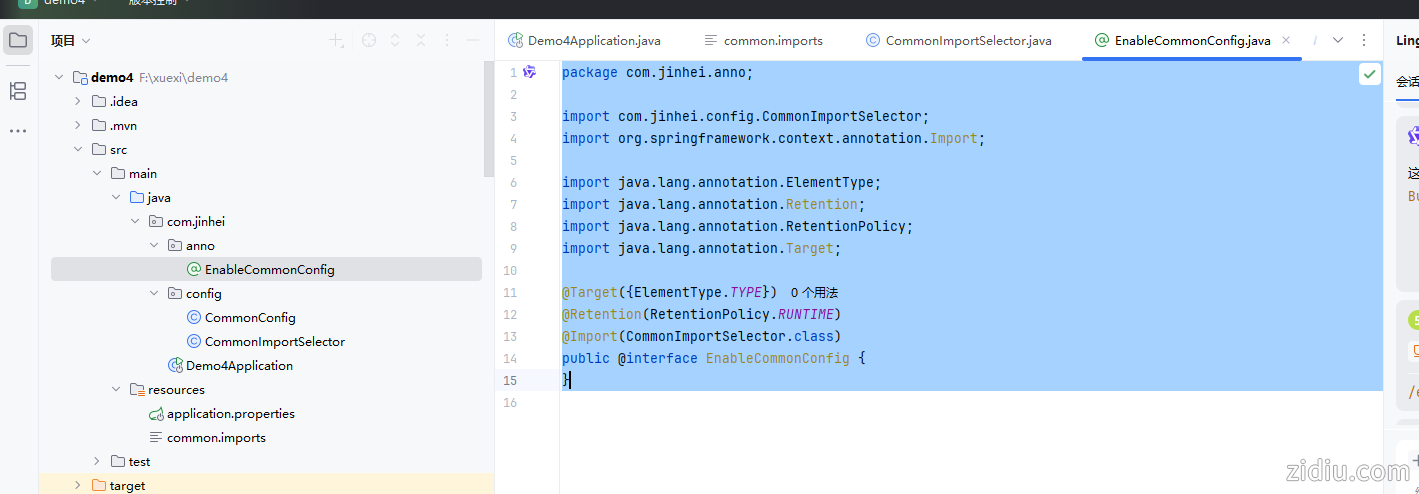
1,添加注解
- package com.jinhei.anno;
-
- import com.jinhei.config.CommonImportSelector;
- import org.springframework.context.annotation.Import;
-
- import java.lang.annotation.ElementType;
- import java.lang.annotation.Retention;
- import java.lang.annotation.RetentionPolicy;
- import java.lang.annotation.Target;
-
- @Target({ElementType.TYPE})
- @Retention(RetentionPolicy.RUNTIME)
- @Import(CommonImportSelector.class)
- public @interface EnableCommonConfig {
- }
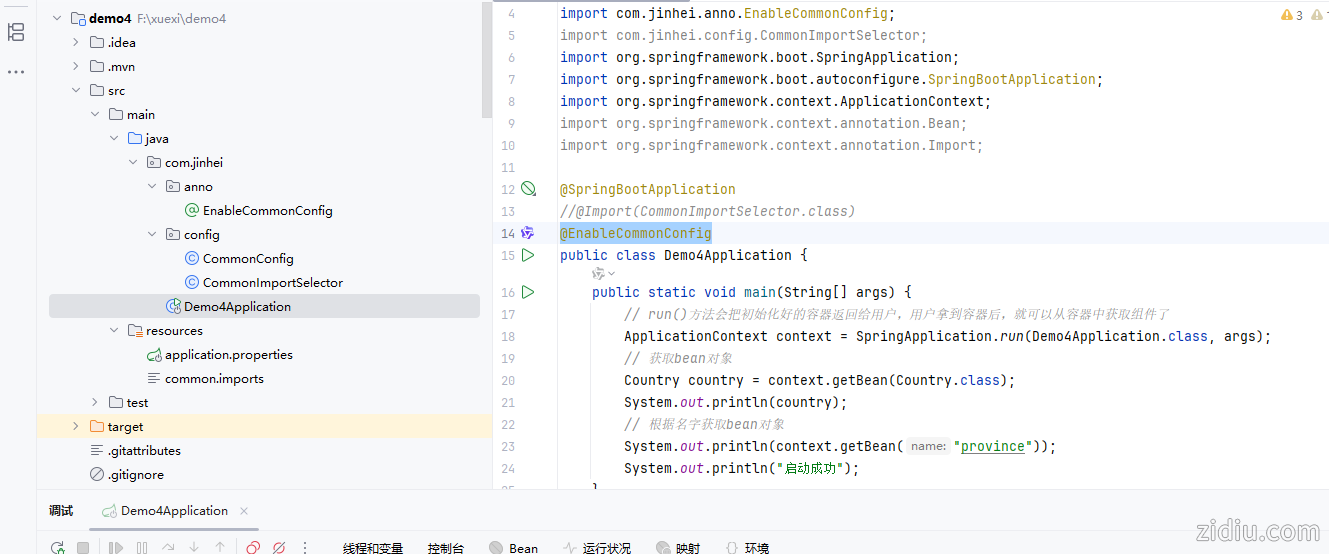
2,启动类添加注解@EnableCommonConfig
 demo4.zip
(24.46 KB, 下载次数: 1, 售价: 50 金币)
demo4.zip
(24.46 KB, 下载次数: 1, 售价: 50 金币)
| 
 |Archiver|自丢网
( 粤ICP备2024252464号-1 )
|Archiver|自丢网
( 粤ICP备2024252464号-1 )



 发表于 2026-2-24 13:42:31