介绍:Axios 对原生的Ajax进行了封装,简化书写,快速开发。
官网:https://www.axios-http.cn/
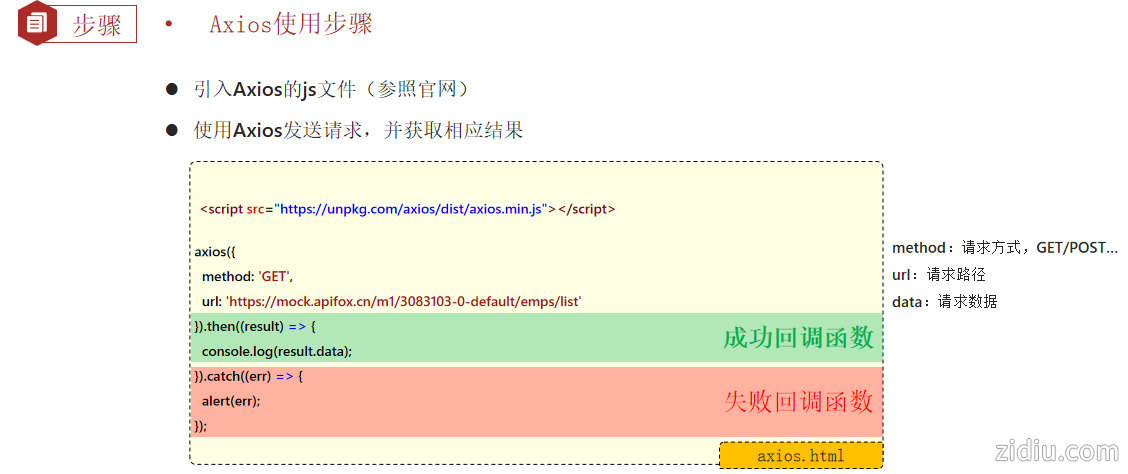
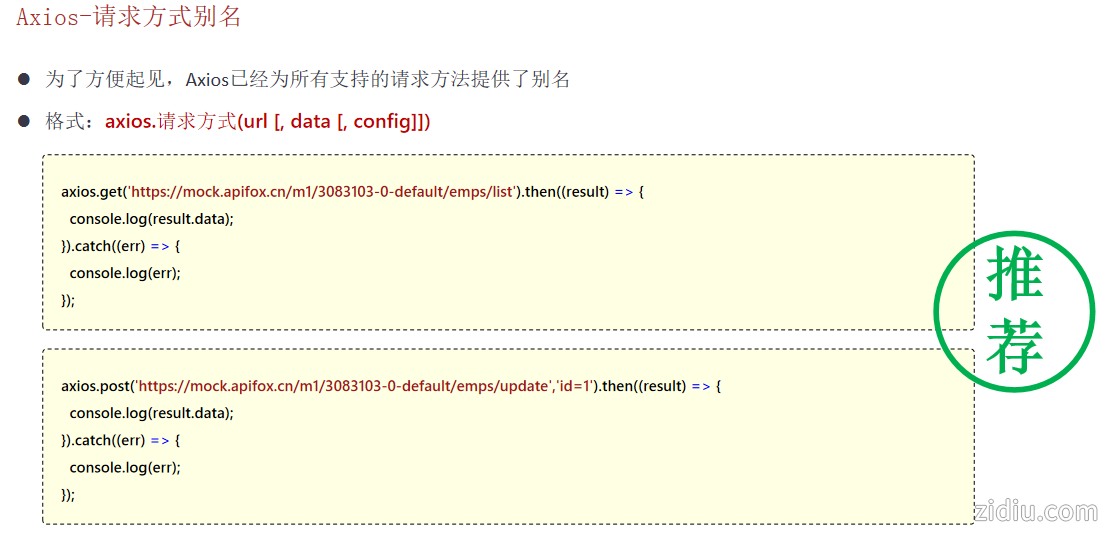
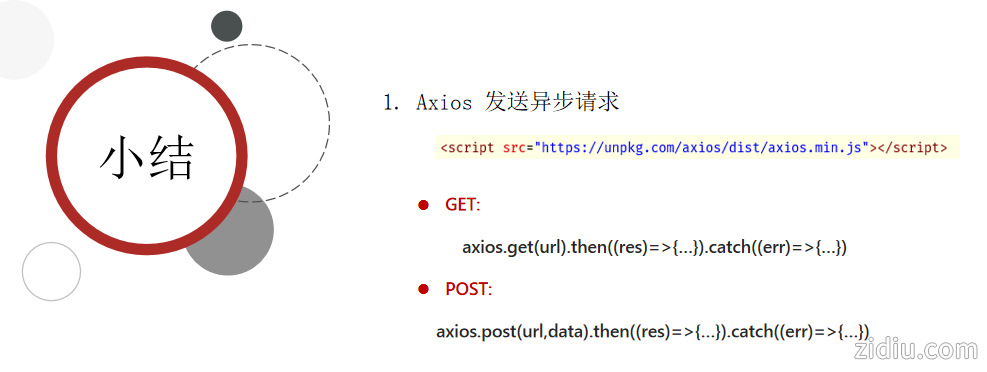
- <!DOCTYPE html>
- <html lang="en">
-
- <head>
- <meta charset="UTF-8">
- <meta name="viewport" content="width=device-width, initial-scale=1.0">
- <title>Document</title>
- </head>
-
- <body>
- <!-- 引入axios的js文件 -->
- <s cript src="https://unpkg.com/axios/dist/axios.min.j s"></script>
- <scri pt>
- /* 发送请求 */
- /* axios({
- method:'get',
- url:'http://localhost:8080/article/getAll'
- }).then(result=>{
- //成功的回调
- //result代表服务器响应的所有的数据,包含了响应头,响应体. result.data 代表的是接口响应的核心数据
- console.log(result.data);
- }).catch(err=>{
- //失败的回调
- console.log(err);
- }); */
- let article = {
- title: '明天会更好',
- category: '生活',
- time: '2000-01-01',
- state: '草稿'
- }
- /* axios({
- method:'post',
- url:'http://localhost:8080/article/add',
- data:article
- }).then(result=>{
- //成功的回调
- //result代表服务器响应的所有的数据,包含了响应头,响应体. result.data 代表的是接口响应的核心数据
- console.log(result.data);
- }).catch(err=>{
- //失败的回调
- console.log(err);
- }); */
-
- //别名的方式发送请求
- /* axios.get('http://localhost:8080/article/getAll').then(result => {
- //成功的回调
- //result代表服务器响应的所有的数据,包含了响应头,响应体. result.data 代表的是接口响应的核心数据
- console.log(result.data);
- }).catch(err => {
- //失败的回调
- console.log(err);
- }); */
- axios.post('http://localhost:8080/article/add', article).then(result => {
- //成功的回调
- //result代表服务器响应的所有的数据,包含了响应头,响应体. result.data 代表的是接口响应的核心数据
- console.log(result.data);
- }).catch(err => {
- //失败的回调
- console.log(err);
- });
- </scrip t>
- </body>
-
- </html>
| 
 |Archiver|自丢网
( 粤ICP备2024252464号-1 )
|Archiver|自丢网
( 粤ICP备2024252464号-1 )



 发表于 2026-3-5 08:11:30