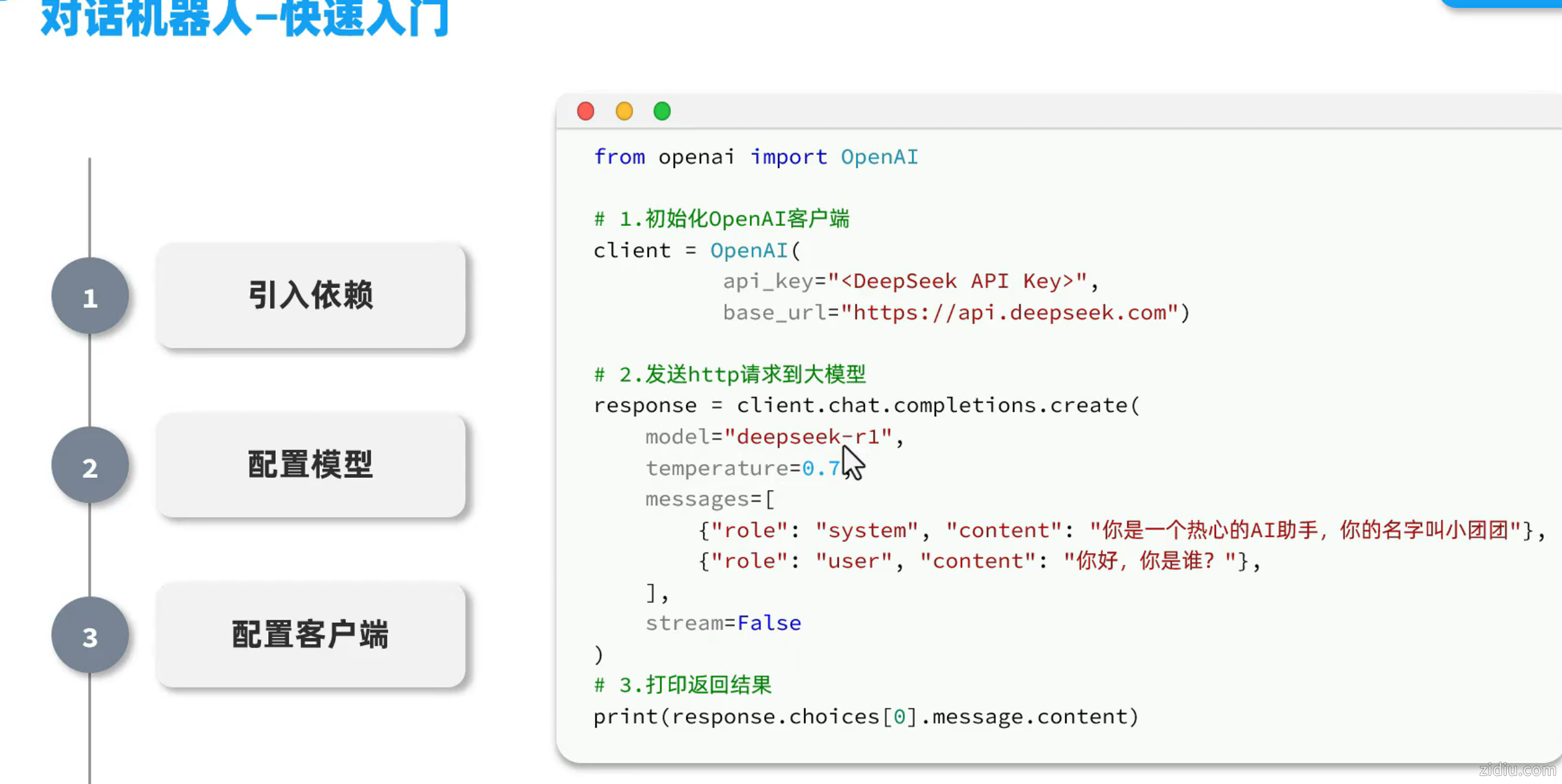
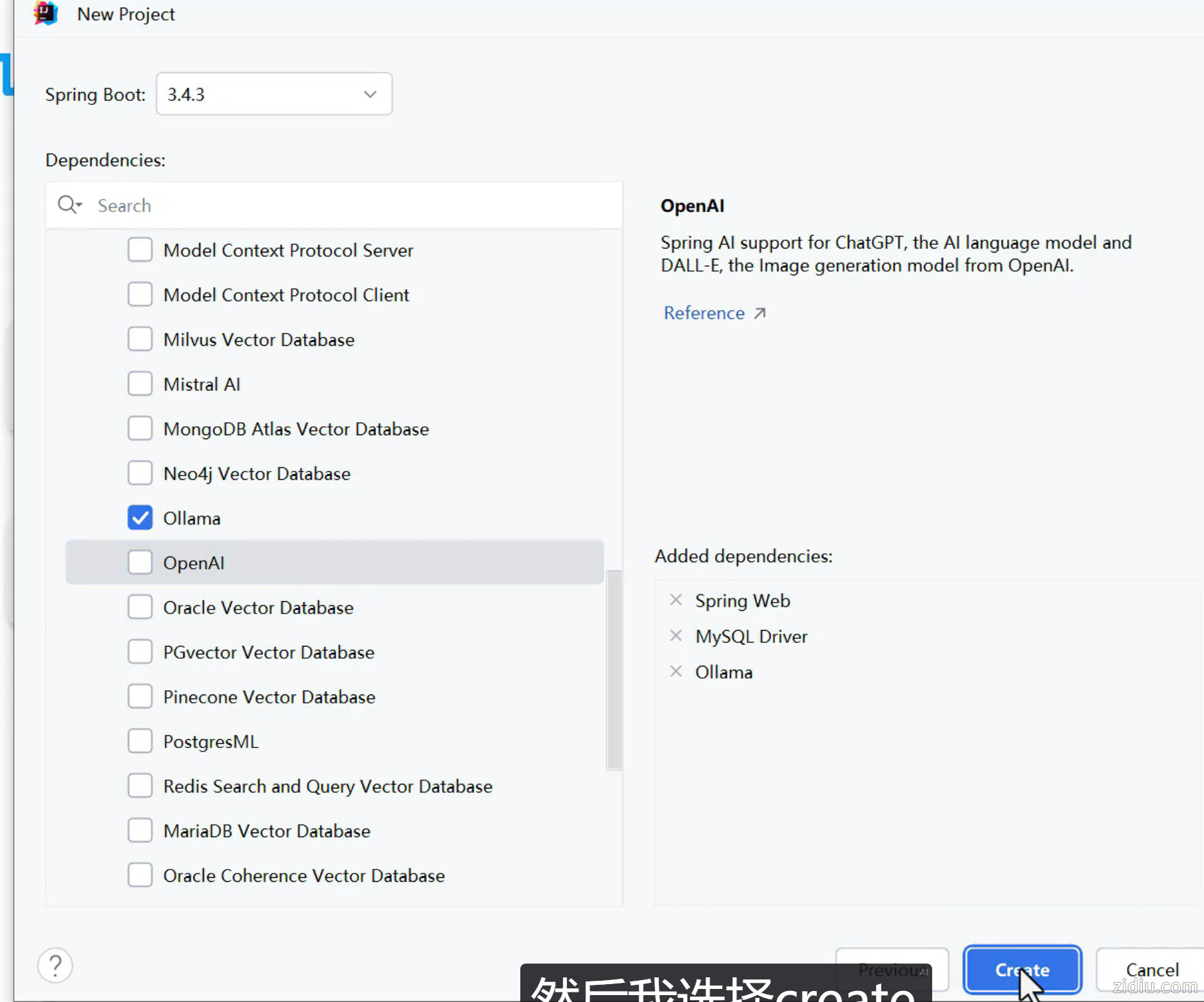
依赖包:
- <?xml version="1.0" encoding="UTF-8"?>
- <project xmlns="http://maven.apache.org/POM/4.0.0" xmlns:xsi="http://www.w3.org/2001/XMLSchema-instance"
- xsi:schemaLocation="http://maven.apache.org/POM/4.0.0 https://maven.apache.org/xsd/maven-4.0.0.xsd">
- <modelVersion>4.0.0</modelVersion>
- <parent>
- <groupId>org.springframework.boot</groupId>
- <artifactId>spring-boot-starter-parent</artifactId>
- <version>3.5.10</version>
- <relativePath/> <!-- lookup parent from repository -->
- </parent>
- <groupId>com.jinhei</groupId>
- <artifactId>jinhei-ai</artifactId>
- <version>0.0.1-SNAPSHOT</version>
- <name>jinhei-ai</name>
- <description>jinhei-ai</description>
- <url/>
- <licenses>
- <license/>
- </licenses>
- <developers>
- <developer/>
- </developers>
- <scm>
- <connection/>
- <developerConnection/>
- <tag/>
- <url/>
- </scm>
- <properties>
- <java.version>21</java.version>
- <spring-ai.version>1.1.2</spring-ai.version>
- </properties>
- <dependencies>
- <dependency>
- <groupId>org.springframework.boot</groupId>
- <artifactId>spring-boot-starter-web</artifactId>
- </dependency>
- <dependency>
- <groupId>org.springframework.ai</groupId>
- <artifactId>spring-ai-starter-model-ollama</artifactId>
- </dependency>
-
- <dependency>
- <groupId>com.mysql</groupId>
- <artifactId>mysql-connector-j</artifactId>
- <scope>runtime</scope>
- </dependency>
- <dependency>
- <groupId>org.springframework.boot</groupId>
- <artifactId>spring-boot-starter-test</artifactId>
- <scope>test</scope>
- </dependency>
- <!--lombok-->
- <dependency>
- <groupId>org.projectlombok</groupId>
- <artifactId>lombok</artifactId>
- <version>1.18.30</version>
- </dependency>
-
- </dependencies>
- <dependencyManagement>
- <dependencies>
- <dependency>
- <groupId>org.springframework.ai</groupId>
- <artifactId>spring-ai-bom</artifactId>
- <version>${spring-ai.version}</version>
- <type>pom</type>
- <scope>import</scope>
- </dependency>
- </dependencies>
- </dependencyManagement>
-
- <build>
- <plugins>
- <plugin>
- <groupId>org.springframework.boot</groupId>
- <artifactId>spring-boot-maven-plugin</artifactId>
- </plugin>
- </plugins>
- </build>
-
- </project>
注意:千万不要用start.spring.io提供的lombok,有bug!!
yml配置:
- spring:
- application:
- name: jinhei-ai
- ai:
- ollama:
- base-url: http://localhost:11434
- chat:
- model: deepseek-r1:1.5b
C层:
- package com.jinhei.ai.controller;
-
- import lombok.RequiredArgsConstructor;
- import org.springframework.ai.chat.client.ChatClient;
- import org.springframework.web.bind.annotation.RequestMapping;
- import org.springframework.web.bind.annotation.RestController;
- import reactor.core.publisher.Flux;
-
- @RequiredArgsConstructor
- @RestController
- @RequestMapping("/ai")
- public class ChatController {
- private final ChatClient chatClient;
- // 访问:http://localhost:8080/ai/chat?prompt=%E4%BD%A0%E6%98%AF%E8%B0%81
- @RequestMapping("/chat")
- public String chat(String prompt) {
- return chatClient.prompt()
- .user(prompt)
- .call()
- .content();
- }
-
- // 流式 访问:http://localhost:8080/ai/chat1?prompt=%E4%BD%A0%E6%98%AF%E8%B0%81
- @RequestMapping(value = "/chat1",produces = "text/html;charset=utf-8")
- public Flux<String> chat1(String prompt) {
- return chatClient.prompt()
- .user(prompt)
- .stream()
- .content();
- }
- }
// 注意看返回值,是Flux<String>,也就是流式结果,另外需要设定响应类型和编码,不然前端会乱码@RequestMapping(value = "/chat", produces = "text/html;charset=UTF-8")public Flux<String> chat(@RequestParam(defaultValue = "讲个笑话") String prompt) { return chatClient .prompt(prompt) .stream() // 流式调用 .content();}
Config/配置:
- package com.jinhei.ai.config;
-
- import org.springframework.ai.ollama.OllamaChatModel;
- import org.springframework.context.annotation.Bean;
- import org.springframework.context.annotation.Configuration;
- import org.springframework.ai.chat.client.ChatClient;
-
- @Configuration
- public class CommonConfiguration {
- @Bean
- public ChatClient chatClient(OllamaChatModel model) {
- return ChatClient
- .builder(model)
- .defaultSystem("你是由深圳市金黑网络技术公司开发的智能AI助手,名字叫做金黑,请以金黑身份和语气回答用户问题")
- .build();
- }
- }
 jinhei-ai.zip
(27.3 KB, 下载次数: 0, 售价: 50 金币)
jinhei-ai.zip
(27.3 KB, 下载次数: 0, 售价: 50 金币)
| 
 |Archiver|自丢网
( 粤ICP备2024252464号-1 )
|Archiver|自丢网
( 粤ICP备2024252464号-1 )



 发表于 2026-2-15 10:35:40